A subscriber asked me for a walk through the site, section by section, the way you'd actually use it in a month. Fair request. We have guides for picking a route and for moving over from AllocateSmartly, but nothing that just follows one month from the signal to the trade. So here it is, on the standard interface every member sees.
How long does a month take? About 15 minutes for me, and most of it happens in 2 places: my portfolio page and my inbox.
First, pick strategies and say where you invest
I'd start on the strategy catalog. Each card shows the return a year, the worst fall and what the strategy holds right now. Open one and you get the rules in plain words, the full backtest, how often it trades and what it held each month.
It also says how often the strategy rebalances. Most do it once a month, a few daily or weekly (Buy the Dip, for example).
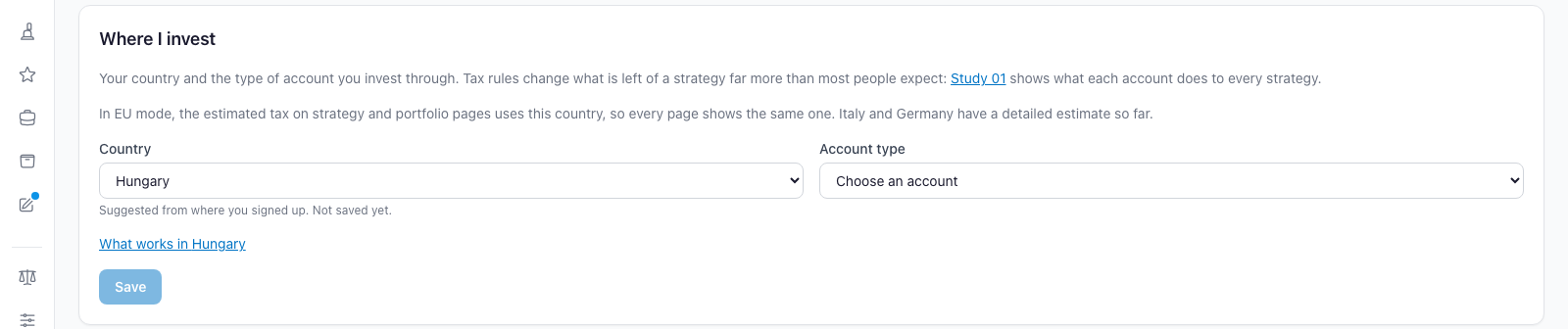
Before building anything, I'd open Settings, then Preferences, and fill in Where I invest: your country and your account type. If your account is a UK SIPP or ISA, an EU or EEA account, or another account that can only buy UCITS funds, that switches on UCITS mode. From then on, allocations and trade lists show the European funds you can actually buy, with their ISIN and the US fund each one replaces. The signals themselves stay computed on US market data.
Then build your portfolio and make it your Main
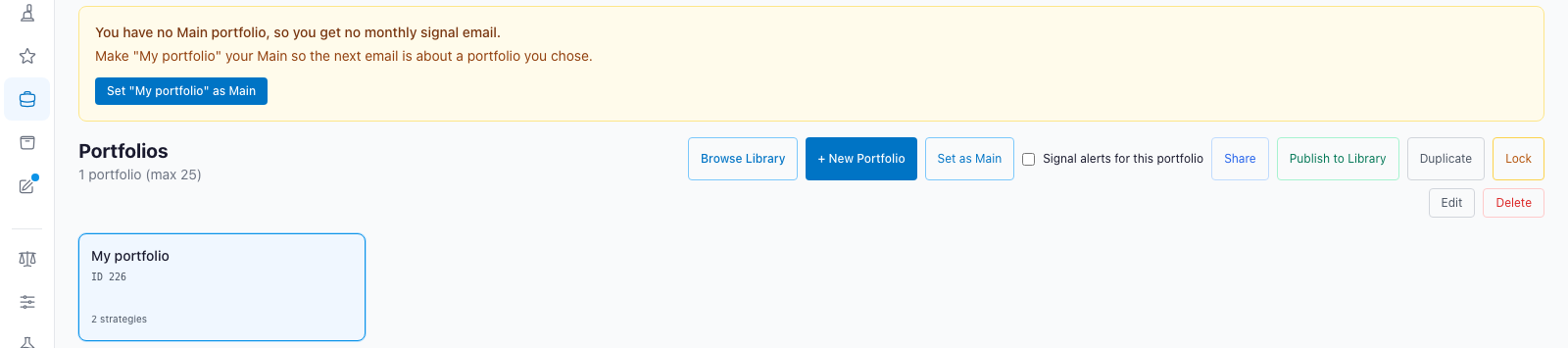
On Portfolios, create a portfolio and add strategies as sleeves, with the weight you want for each. If you'd rather start from something ready-made, the Portfolio Library has model portfolios you can copy, and Blend can weight a set of strategies for you (equal weight, risk parity, minimum variance or maximum Sharpe).
Then set it as your Main portfolio. I think that matters more than it looks: the monthly signal emails follow your Main, and the page tells you so until you've picked one. Another portfolio gets messages only when you tick its signal alerts, and the page offers to do that when it holds a daily or weekly strategy.
Each month, the signal arrives in 2 steps
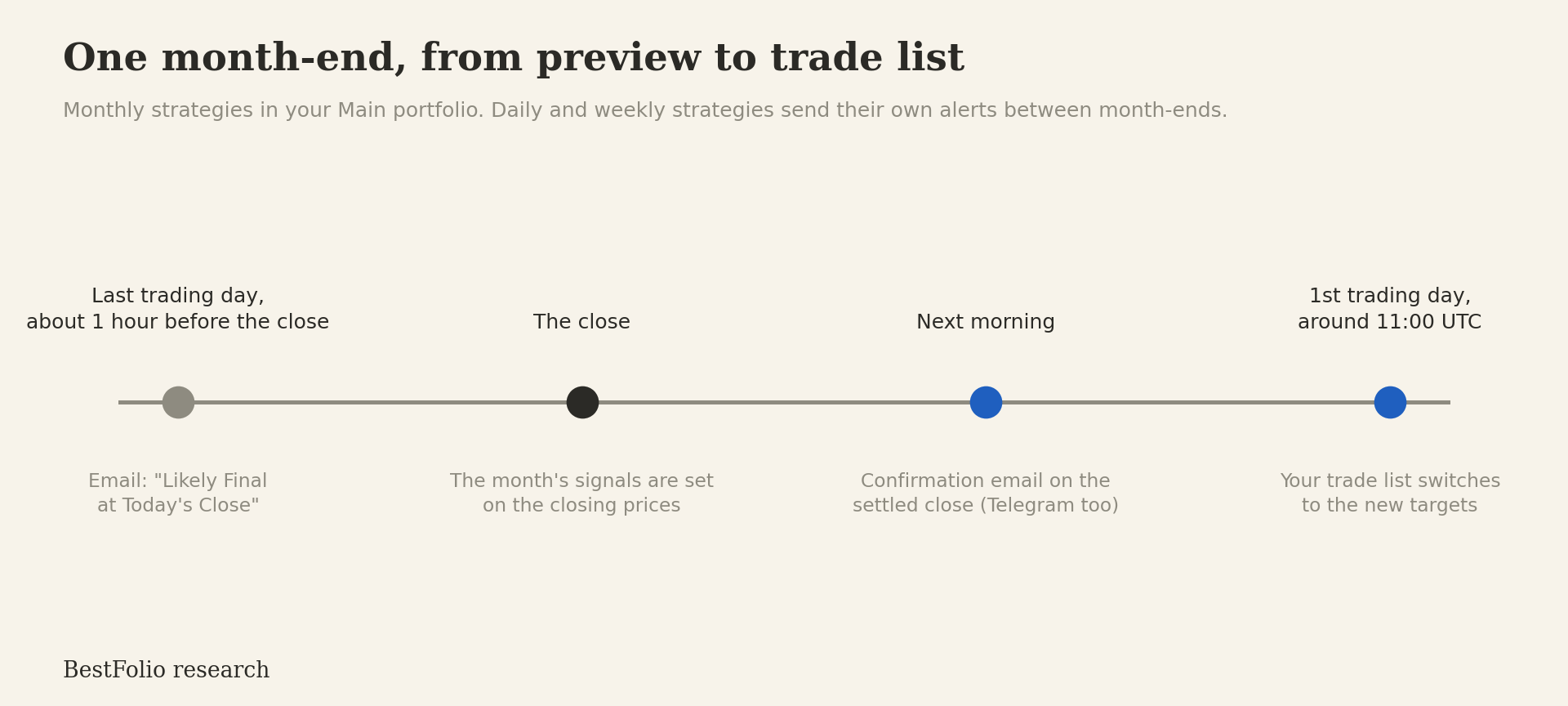
About an hour before the month's last close, you get an email titled "Likely Final at Today's Close". It's a preview: prices are still moving, so a strategy that sits near its line can still flip.
The next morning a second email, computed on the settled close, confirms it. Telegram and browser alerts follow the same 2 steps if you've switched them on under Alerts.
So you choose. Trade on the preview if you want to trade at the close, or wait for the confirmation and trade the next day. Waiting costs a day of prices. Trading on the preview risks a strategy flipping at the close, which is rare but does happen when it sits right on its line.
Read the trade list
The email links straight to your portfolio's trade list. It has 2 views, Current and Next Rebalance, and from the first trading day, around 11:00 UTC, the new targets are the current ones.
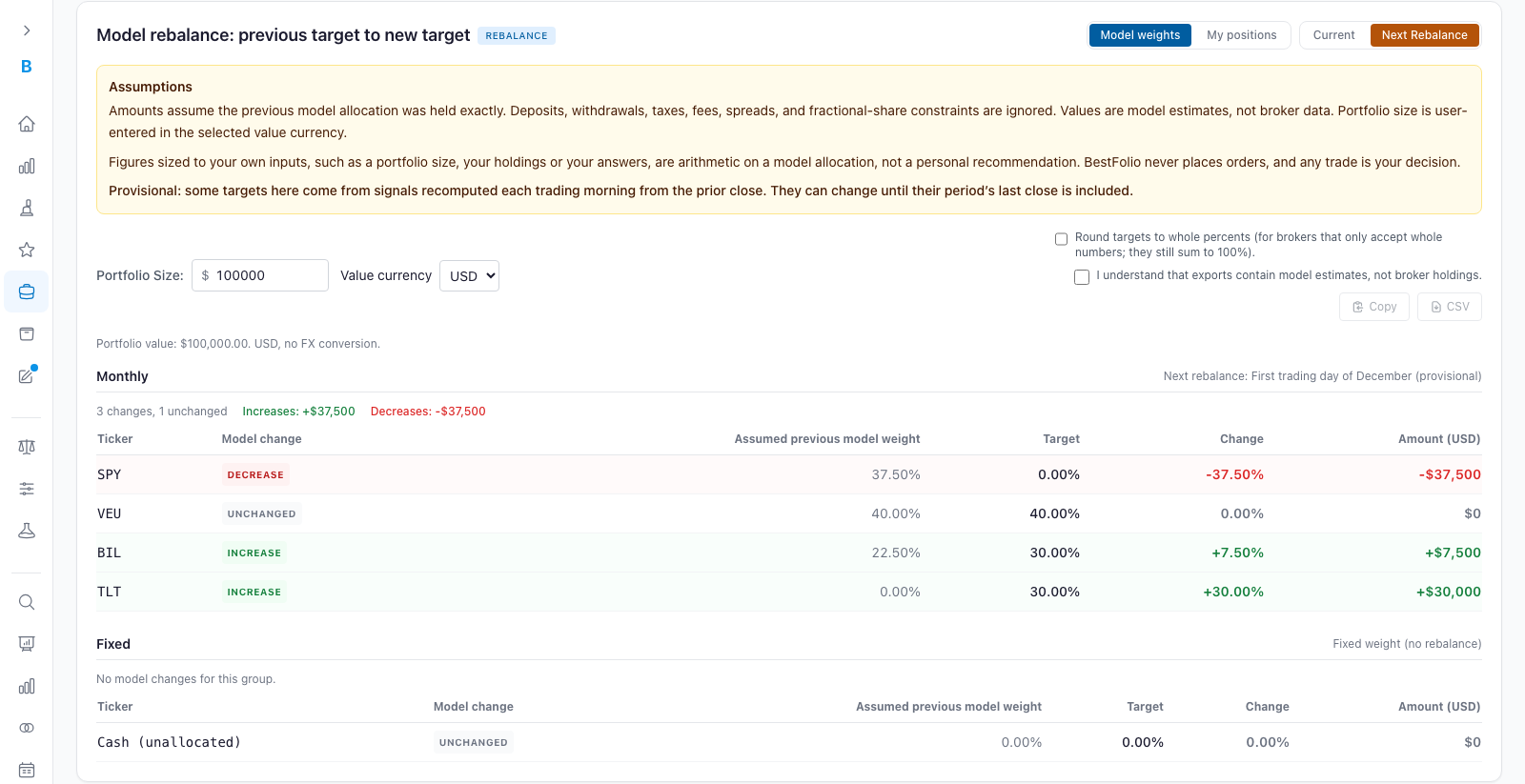
2 things make it easier to read. First, the percentages don't all mean the same thing. Under Strategy Sleeves, Held now and Next signal are a share of that strategy (the email calls them Previous and New), while the Target and the buy and sell lines are a share of your whole portfolio. So a fund can read 14% in one place and 4.8% in the other, and both are right.

Second, a weight that moves by less than half a percentage point is not a trade. The email, the alerts and the trade list all use that same rule, and I set it up that way so you won't be asked to shuffle a few dollars.
You can size the trades 2 ways. Model weights uses a portfolio size you type in. My positions uses what each fund is actually worth in your account plus your cash, new money included, and shows how far each fund is from its target. If a blend leaves you with several tiny positions, the small-position rollup merges them so you place fewer orders.
Place the orders
Then it's your broker. Most months I place a handful of trades, and some months nothing changes at all: the confirmation email says so, and you're done. BestFolio never touches your account.
Between month-ends
If your portfolio holds a daily or weekly strategy, its alerts come when it switches, with the trades for that sleeve only. Your monthly sleeves keep their holdings until their own month-end.
The rest of the site is there when you want it, not every month: Correlations and Risk vs Return when you're thinking about adding a strategy, and the rejection log for what we tested and didn't add.
What it costs
| What you get | Free | Pro |
|---|---|---|
| Portfolios | 1 | Up to 25 |
| Strategies with signals | The 6 free strategies | All of them |
A free account gets 1 portfolio and the signals of the 6 free strategies. Pro adds the signals of every strategy and up to 25 portfolios. If you want to try the routine before paying, I'd build your portfolio on the free plan this month and see how the month-end emails feel.